Know the stock.
Community, availability, readiness, time listed and entered cost assumptions.
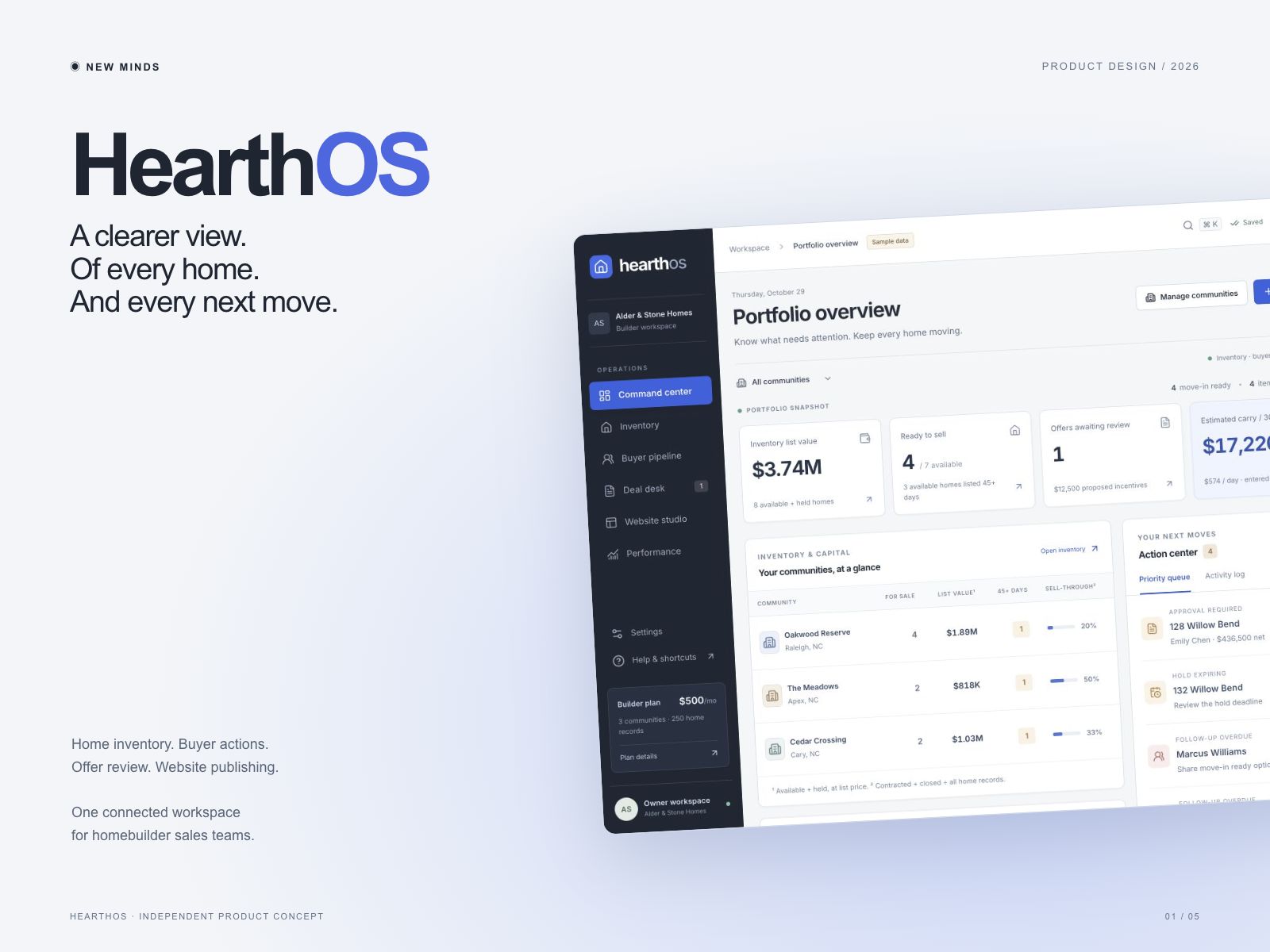
A clearer view.
Of every home. And every next move.
SaaS UX/UI · Homebuilder sales operations
Interactive demo · Fictional sample data
Designed and developed by New Minds
No sign-up. No call. Explore at your own pace.
01 / THE QUESTION
A sales leader needs a useful next move, with the home and buyer context close at hand.
HearthOS explores a shared operational view of available homes, buyer follow-up, offer terms and catalog publishing. The starting hypothesis: less switching between these tasks could reduce missed actions and manual updates.
This is a product hypothesis to test with builders. It is not a claim that any specific company lacks these capabilities.
02 / ONE CONNECTED WORKFLOW
Community, availability, readiness, time listed and entered cost assumptions.
Buyer context and a specific next action, with overdue follow-up made visible.
Price, credits, upgrades and estimated margin before recording a decision.
Review catalog readiness, preview the draft and publish a versioned demo catalog.
03 / THE COMMAND CENTER
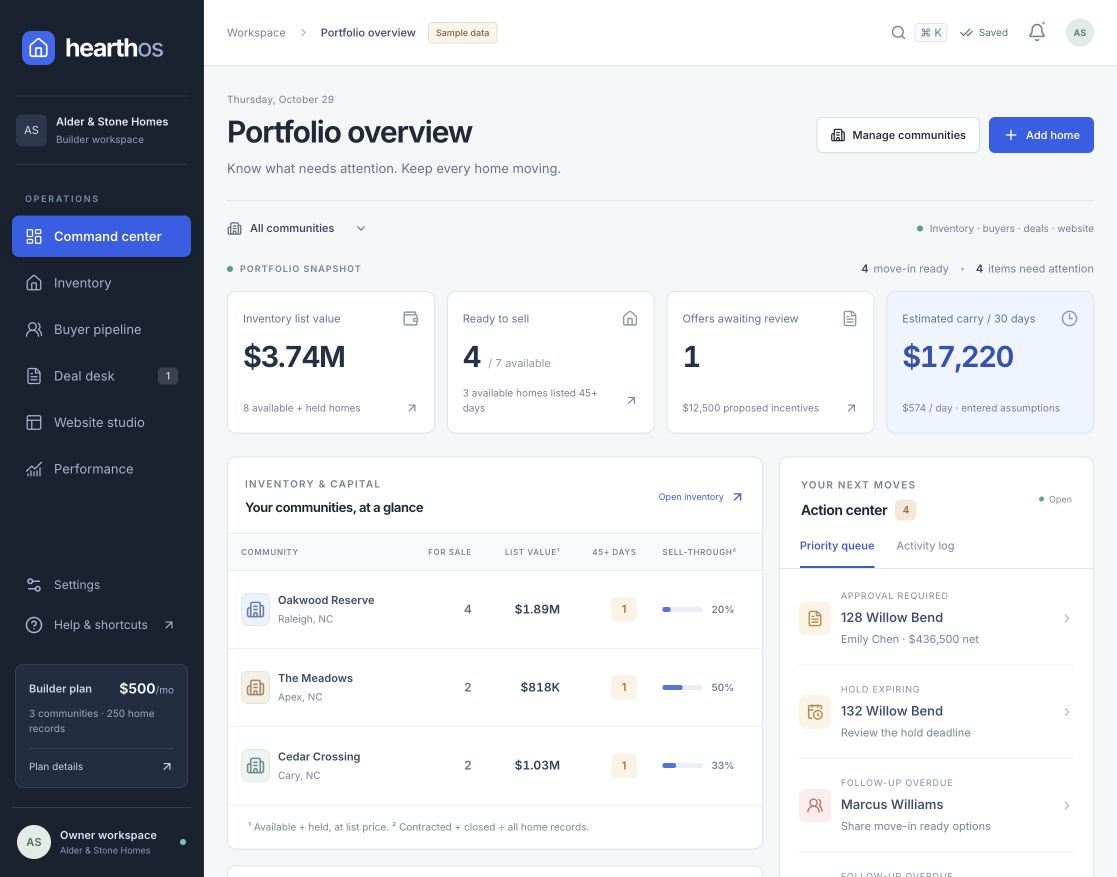
A portfolio snapshot connects to community inventory and a prioritised action queue. Financial values are labelled as list values or estimates, with their assumptions stated.
04 / WEBSITE STUDIO
Catalog content stays close to inventory. The workspace separates draft review, readiness checks and the published catalog snapshot, so changes can be checked before publication.
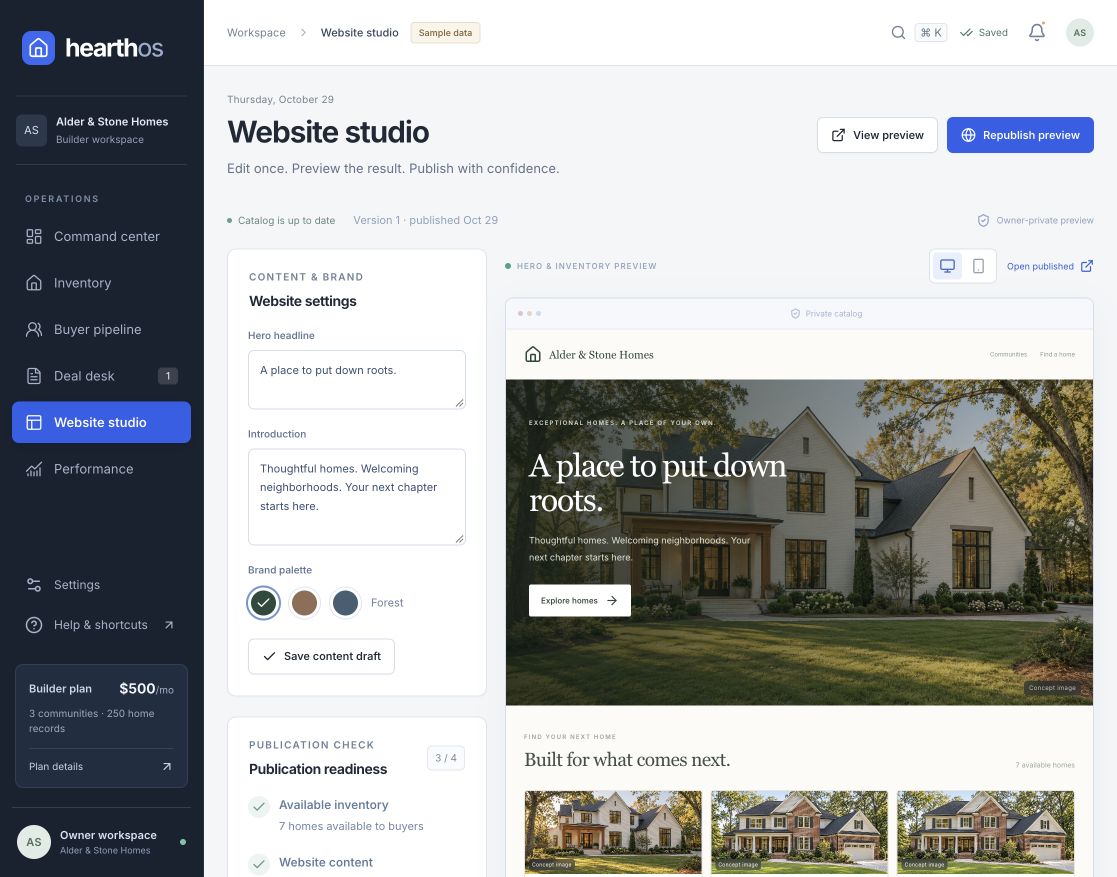
A dark navigation rail anchors the workspace. White panels keep dense operational information readable. Cobalt highlights the next action.
Inventory, buyer and offer views connect through the same records. Detail panels support review without losing the wider view.
Draft, published, overdue and approval states make the workflow explicit. Financial estimates show entered assumptions.
05 / TRY IT YOURSELF
A ready-to-explore workspace.
No setup meeting required.
Open a fictional builder with 3 communities, 12 homes, 14 buyers and 7 offers. A four-step walkthrough takes you from buyer follow-up to offer approval, a catalog update and a website inquiry in the CRM.
Compare incentives against entered costs, organise next actions and try different role previews. Changes stay in your browser; reset the demo whenever you want.
Interactive concept. Builder names and records are fictional; home imagery is AI-generated. Demo changes are browser-local and expire after 24 hours. The demo does not send email or SMS, accept payments, sign documents or give access to a live customer workspace.
MAKE THE NEXT STEP CLEARER
Explore the connected sales workflow with fictional data, in your own time.
Try live demo Discuss a product with New Minds ↗